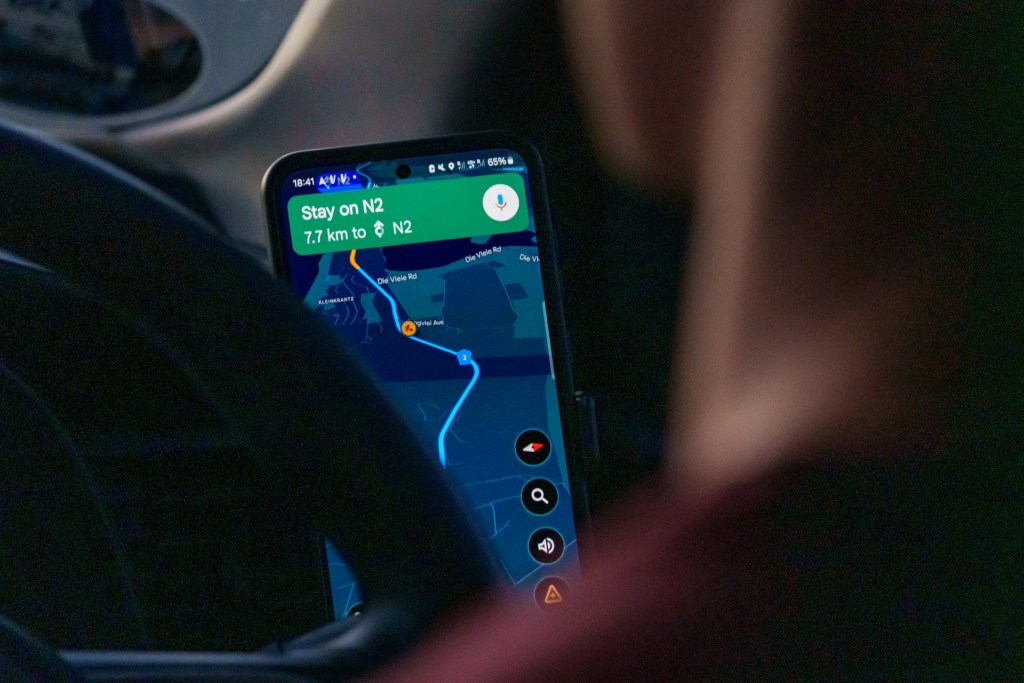
Google Maps‘ Gemini integration actually solves the annoying problem of having to pull over or glance at your screen while biking through traffic or walking busy streets. If you’re cycling through rush hour, you can just ask, “Hey Google, vegan lunch ahead?” and it instantly shows rated spots along your path with hours and reviews, all layered over your turn-by-turn audio without breaking your flow. Because it knows exactly where you are on the trail or road, follow-ups like “Ramps nearby?” check accessibility right then, pulling from live user reports and Street View data. iOS got the global rollout slightly faster than Android’s staggered release, but Android flagships like Pixels and Samsung Ultras get the real edge with Gemini Nano for offline, low-latency processing that doesn’t need constant internet.
Testers are reporting significantly fewer screen glances during commutes, which makes a real difference for safety when cars are inches away. Make sure Gemini Live or the Assistant-to-Gemini transition is fully enabled in settings—many skip this and wonder why voice feels basic. Early users love how it handles urban chaos without forcing you to stop pedaling or dodge traffic while fumbling with directions.
This works because Google Maps combines your precise GPS spot with Gemini’s smarts, serving up answers that factor in traffic, construction from Waze reports, and even your calendar for timed arrivals, all without forcing you to fish your phone out of your pocket. Start a walking route to the park, say “Coffee nearby?” and it flags options with detour times; ask “Dog-friendly?” and it filters on the spot using fresh reviews. No more juggling maps while dodging potholes—responses overlay your audio directions seamlessly. For the full power, toggle Web & App Activity on in Google settings; it learns your habits, like preferring bike lanes or quick vegan stops. Early users on forums call it a game-changer for urban rides where every second off the handlebars counts. Power users pair it with a bike mount for glance-free confidence, especially in unfamiliar neighborhoods. The result feels like having a local guide whispering directions instead of staring at a glowing screen.
What You Can Actually Do Right Now
Tap any spot on Google Maps and ask, “What’s good for lunch here?”—Gemini pulls review summaries, photos, hours, and menu highlights without exiting navigation. If you’re walking or cycling, “Hey Google, take me to the station” kicks off audio turn-by-turns you can tweak on the fly: “Avoid hills” or “Shorter route even if longer walk.” The screen dims automatically for audio focus, saving battery on long outings. During a jog, say “Hydration stops ahead?” and it taps user-added fountains or stores along your path. Follow with “Open now?” for real-time checks. Voice chaining keeps context: “That one’s crowded—what’s next?” builds without repeating your location or route. Android’s Gemini Nano handles basics like turns and landmarks offline, while the cloud covers deeper stuff like restaurant vibes or event tie-ins. iOS users get solid server-side performance bridging any Nano gaps. Test it yourself on your next walk—start directions and chain three questions to feel the flow.
Step-by-Step: Making Voice + Context Work for You
Launch Google Maps, pick walking or cycling mode, and pocket or mount your phone—the interface shifts to audio priority right away. Say “Hey Google” or tap the mic, then ask “ETA avoiding stairs?”—it recalculates using elevation data without stopping your stride. Sessions remember details: “That cafe is pricey; what’s the next option?” picks up where you left off. Proactive chimes handle surprises like “Construction ahead from reports—rerouting now?” based on Waze crowd intel. Multi-leg trips stay smooth: “Busy intersections coming?” flags them with tips, or “Water ahead?” surfaces stops. Snap a mid-ride photo with “What building?” for Lens ID plus reviews or history. The best part? Your battery will actually last the whole ride since voice-only sips power versus lit screens. Noise cancellation handles wind better now, though heavy storms still challenge mics. It feels less like a GPS and more like someone giving you a heads-up around the corner.
Everyday Wins: Safety and Efficiency on the Move
Hands-free cuts distraction big time—cyclists weaving traffic report staying focused without constant phone checks. Daily riders draft “Text I’m late” without ungloving hands or query “Bike lanes up ahead?” for safer paths. Tourists ask, “Landmarks soon?” to weave in facts without derailing routes. Runners get “pace stations nearby” to stay steady. Visually impaired folks pair it with Live Transcribe for true independence in new cities. Eco riders see nudges to car-free options with air quality notes. Delivery pros tighten ETAs with live tweaks—seconds saved add up daily. Windy days challenge mics, and transit voice lags behind (soon though). Parents pushing strollers love the ramp checks for accessibility. The safety gains really shine when crossing busy streets without screen fumbling.
How Gemini Powers Google Maps Under the Hood
Google Maps’ Street View, user edits, and traffic data feed Gemini for spot-on replies—Nano crunches ETAs locally, and the cloud handles reviews or calendar pulls. It beats Siri on route smarts. Delete chats anytime, pause history; full activity unlocks predictions. Edge cases shine: detours around closures or music spots from your playlist. Apple Maps chains voice less fluidly; Waze alerts well but skips AI depth. Gemini pulls calendar events to warn about tight arrivals. Privacy stays solid—you control what sticks around. The hybrid setup switches smoothly based on connection strength.
Quick Setup: Get Gemini Running Today
Android: Update Google Maps, enable Gemini in Assistant settings—Pixels lead Nano perks. iOS: Global access shines server-side. Test: Walk mode, voice “Coffee along route”—works now. Toggle activity for personalization; report potholes to help the map. Voice extends battery 20-30% on long hauls. Mid-range phones lean cloud but still deliver. Download the latest Maps beta for early voice tweaks. Settings live under Assistant > Gemini > Live toggle.
Rivals and Coming Upgrades: Google’s Lead Grows
Apple lags voice flow; Waze nails alerts sans AI layers. Roadmap: Transit voice, AR glasses overlays, watch vibes—pedestrian modes level up. Smart glasses could project arrows directly. Watch integration vibrates and turns silently. Bus/train audio directions are coming soon.
Why This Matters for Your Next Ride
Maps finally acts like a tool that actually knows where you are and where you’re going. From rush bikes to casual walks, it cuts hassle and boosts awareness. Voice basics work today—dive in before the full wave hits. Test it tomorrow morning. You’ll wonder how you navigated without it.


