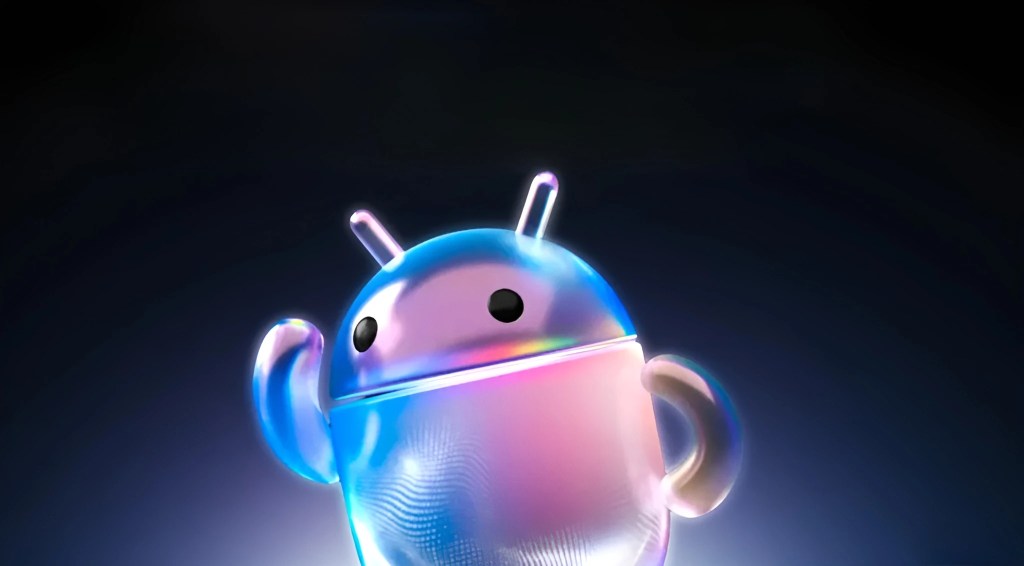
There’s a version of the Android Show 2026 recap you’ve already seen ten times across the internet. Google Books. Gemini Intelligence. Android Auto redesign. 3D emoji. And while all of that is real and genuinely worth your attention, there’s a whole layer of detail hiding just underneath the surface that almost every outlet skipped straight past. The show itself ran 40 minutes on May 12, and Google packed more into it than most people realize.
Let’s go through it properly, from the headline news to the bits that didn’t make anyone’s top three.
Gemini Intelligence Is the New Operating Layer, Not Just an App
The biggest name from the Android Show 2026 is Gemini Intelligence, and it’s worth being precise about what Google actually means here. This isn’t the Gemini chatbot getting a few new tricks. It’s Google’s new branding for a deeper, proactive AI layer that runs underneath Android itself, handling multi-step tasks across apps without you having to orchestrate every step.
The clearest demo Google showed: you have a long grocery list in your notes app. You ask Gemini Intelligence to build a shopping cart for you in a delivery app. It reads the list, opens the app, finds the items, and builds the cart while you’re off doing something else. That kind of cross-app automation is the core promise. Gemini Intelligence is coming first to the latest Samsung Galaxy and Google Pixel phones this summer, and it’ll expand to Wear OS, Android Auto, Android XR, and the new Google book laptops over the rest of the year.
There’s also a transparency layer built in that barely got a mention anywhere. When Gemini Intelligence is working in the background, you’ll see an icon in the notification bar. You can tap into the app it’s automating and watch it work in real time. And here’s the part people skipped entirely: Android’s Privacy Dashboard is getting an update that shows you which AI assistants were active and which apps they accessed in the previous 24 hours. That level of auditability is significant, and Google deserves credit for building it in from the start.
Google book: Google’s Answer to the MacBook, With a Weird Cursor
The most talked-about announcement from the Android Show 2026 is the Google book, a new category of laptop that Google says is built from the ground up for Gemini Intelligence. Not ChromeOS. Not Android. Something new. Acer, Asus, Dell, HP, and Lenovo are the first hardware partners, with units arriving this fall.
The big party trick is Magic Pointer. Wiggle your cursor at anything on your screen, and Gemini immediately reads the context and suggests what to do with it. Point at a date in an email,l and it offers to create a calendar event. Select two images, es and you can blend them without any extra software. It sounds like a modern version of Clippy, which is either exciting or terrifying, depending on your history with Microsoft Office in 1997.
What nobody’s really covering is the Google book’s physical design signature: a “glowbar.” It’s a hardware badge built into the keyboard area, a glowing indicator that identifies a Google book from other laptops, similar to how Apple used the backlit logo on older MacBooks. Google is clearly trying to make Google Books a recognizable premium category, not just another laptop.
The phone integration is also deeper than most headlines suggest. You can “Cast My Apps” to run any mobile app from your phone directly on the Google book screen. Quick Access lets you browse your phone’s files as if they were in Google Drive. It’s basically the Android-laptop continuity story Apple has been telling with iPhones and MacBooks for years, and Google is finally making its version of it.
Android 17: The Features Everyone Mentioned and the Ones They Missed
Pause Point Has an Intentional Anti-Cheat Built In
Pause Point is Digital Wellbeing’s first meaningful new feature in years. Mark an app as distracting, and Android adds a mandatory 10-second delay before opening it. During that delay, you’ll see a breathing exercise, a prompt asking “why am I here?”, or suggestions to jump to something else,e like an audiobook. You can also set a session timer.
Here’s what almost nobody reported: turning Pause Point off completely requires a phone restart. That’s not a bug. Google built it in deliberately so you can’t just flip it off in three seconds when the urge hits. It’s a real commitment mechanic, and it makes Pause Point meaningfully different from every screen-time tool that came before it.
Rambler Doesn’t Store Your Voice, and That Matters
Gboard is getting a new voice-to-text feature called Rambler that uses Gemini Intelligence to clean up your speech before sending it. You can ramble, say “um,” repeat yourself, or change your mind mid-sentence. Rambler listens to all of it and turns your scattered spoken thoughts into a clean, concise message. It even handles switching languages mid-sentence.
The underreported detail here is the privacy promise: your audio is only used for real-time transcription and is not stored or saved at any point. For a feature powered by AI, that’s a meaningful commitment. Google was careful to call it out, but most coverage buried it in a footnote.
Screen Reactions and Adobe Premiere Are Coming to Android
Screen Reactions is a built-in Android 17 tool for recording reaction videos natively. Your front camera and your screen record simultaneously, no third-party app needed, no green screen, no post-production. It’s coming to Pixel devices first this summer and is clearly aimed at TikTok and Instagram Reels creators who currently juggle two apps to do this. And speaking of creators, Adobe Premiere is officially arriving on Android this summer, with built-in templates specifically for YouTube Shorts.
One more thing that got almost zero coverage: APV, or Advanced Professional Video. It’s a new high-quality video codec that’s now available on the Samsung Galaxy S26 Ultra and vivo X300 Ultra, with wider rollout to all Snapdragon 8 Elite devices later this year. If you’ve ever noticed a quality difference when you shoot stunning footage and then upload it somewhere, APV is designed to close that gap.
Android Auto’s Biggest Upgrade Is Actually in the Car Itself
The Android Show 2026 Android Auto update hit all the expected beats: Material 3 Expressive redesign, customizable home-screen widgets, Gemini Intelligence integration with a feature called Magic Cue that reads your messages and emails to generate context-aware replies while you’re driving. YouTube video streaming at full 60fps HD while parked. Dolby Atmos spatial audio is supported in cars from BMW, Genesis, Mercedes-Benz, Renault, and others.
But the detail that deserves far more attention is Live Lane Guidance. In cars running Google Built-In, the vehicle’s front-facing camera analyses the road in real time to determine which lane you’re in, then gives you precise guidance as you change lanes or approach exits. The critical technical point: all of that processing happens entirely on-device, inside the car, with no cloud round-trip involved. That’s a meaningful architectural choice for anyone who thinks about latency, privacy, or what happens when your signal drops in a tunnel.
Quick Share Gets a Clever iOS Workaround Nobody Talked About
Quick Share is expanding AirDrop compatibility to Samsung, Oppo, OnePlus, Vivo, Xiaomi, and Honor devices later this year, following last November’s initial rollout to Pixel. That part got plenty of coverage. What didn’t get covered: while the full AirDrop compatibility rolls out across manufacturers, any Android phone right now can generate a QR code via Quick Share and use it to share files to an iPhone through the cloud. It’s a workaround, but it works today, not in six months.
Quick Share is also coming to WhatsApp, and the iOS-to-Android transfer process has been rebuilt completely from scratch through a bilateral Apple-Google agreement. The new transfer covers passwords, photos, messages, apps, contacts, eSIM, and home-screen layout, all wirelessly.
Google I/O 2026 kicks off on May 19, and the Android Show 2026 has already confirmed that glasses are coming to Android XR later this year. The full keynote is where we’ll likely get pricing on Google book and a clearer timeline on the Gemini Intelligence features that got the most stage time on Tuesday.


